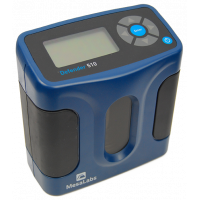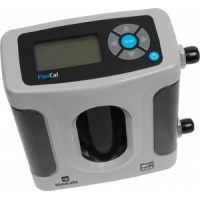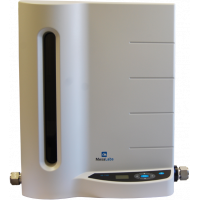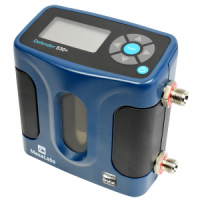
- Brand: DryCal
Tags: DryCal Pro, Mesa Labs, flowkalibrering, MFC, MFM
DryCal Pro Software
Real-Time Flow Data Acquisition, Monitoring & Calibration
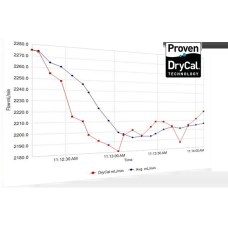
DryCal Pro from Mesa Labs provides an easy way to capture, monitor, graph and export flow data directly from compatible DryCal instruments.
The software connects your DryCal flow calibrator to a PC, allowing measurements to be monitored in real time and transferred to a Microsoft environment for reporting, analysis and documentation.
DryCal Pro is available in Basic and Enhanced configurations. DryCal Pro Basic supports everyday flow verification and data capture, while DryCal Pro Enhanced adds advanced MFC and MFM calibration capabilities when used with Integrator Pro and compatible Mesa Labs Metrology Series instruments.
Software & Resources
Official DryCal Pro software information and related resources from Mesa Labs.
DryCal Pro Basic & Enhanced
Choose the software configuration according to your measurement and calibration requirements.
DryCal Pro Basic
FLOW DATA CAPTURE & VERIFICATION
Designed primarily for users of DryCal Defender products and other compatible DryCal instruments.
- Capture flow measurements directly on a PC
- Monitor flow data in real time
- Graph measurement data
- Export measurements for reporting and analysis
- Enter flow rates from sampling pumps or other flow sources
- Verify a flow source against a DryCal reference instrument
- Compare flow meter data with DryCal measurements
DryCal Pro Enhanced
ADVANCED MFC & MFM CALIBRATION
Enhanced functionality is designed for use with Integrator Pro and compatible Mesa Labs Metrology Series instruments.
- Calibrate mass flow controllers (MFCs)
- Calibrate mass flow meters (MFMs)
- Track calibration assets
- Establish device flow setpoints
- Establish MFC and MFM input/output signals
- Record and graph DUT calibration data in real time
- Export results for reporting and calibration certificates
From Measurement to Report
Connect
Connect the compatible DryCal instrument to your PC.
Capture
Record flow measurements directly from the instrument.
Monitor
View and graph measurement data in real time.
Export
Export data for analysis, reporting and documentation.
MFC & MFM Calibration with Integrator Pro
DryCal Pro Enhanced extends the DryCal system from flow measurement and verification to controlled calibration of mass flow controllers (MFCs) and mass flow meters (MFMs).
When Integrator Pro is combined with a compatible Mesa Labs Metrology Series primary piston prover, the system can establish device flow setpoints and MFC/MFM input and output signals while recording and graphing Device Under Test calibration data in real time.
After calibration, data can be exported to a Microsoft environment for reporting and calibration certificate preparation.
DryCal System Integration
Defender Series
Capture real-time flow measurements for pump calibration, flow verification, graphing and reporting.
DryCal Metrology Series
Use primary flow measurements as the reference for laboratory and advanced MFC/MFM calibration workflows.
Integrator Pro
Add command, control and readout functionality for MFC and MFM calibration with DryCal Pro Enhanced.
Video Tutorial
Watch Mesa Labs' step-by-step tutorial showing how to download and install DryCal Pro software.
Installation & Setup
Additional resources for downloading, installing and setting up DryCal Pro.
Software Compatibility
Mesa Labs currently publishes legacy minimum system requirements for DryCal Pro, including Windows XP or Windows 7, Microsoft Excel 2003 or later and an RS-232 connection or USB-to-RS-232 adapter.
Because operating systems and computer interfaces continue to evolve, compatibility with the intended PC configuration should be confirmed before installation.
For current software availability, installation support and compatibility information, please refer to Mesa Labs or contact Medico Support.